Momo: AI Photo & Video Maker
- 4.4
- Rating
- 5.00M
- Installs
- Free
- Price

 Analysis by App-foxy
When I tested Momo - AI Photo Generator, I found that its most useful idea is not simply making a picture look “better.” The app is built around turning an ordinary portrait into something more deliberate, especially a business headshot or a profile image that feels ready to use. That focus makes it easier to understand than a general photo editor: you start with a face, choose the kind of result you want, and let the app handle much of the visual transformation.
Momo is a free photography app from ScaleUp, available for Everyone and running on Android 7.0 or later. It has reached over five million installs and holds a 4.4 average from roughly 317 thousand ratings, which suggests that the basic promise is appealing to a broad audience. I can see why. Many people need a decent portrait but do not have a camera setup, a photographer, or the time to learn a complicated editor.
The important question is whether an AI-generated portrait is actually useful outside the app. In my experience, the answer is yes when the goal is a polished online image rather than a documentary record of how you look. It is less convincing when you need a strictly accurate professional photograph or when small changes to your face would cause problems.
You May Also Like

 Blood Strike: 2.5 Anniversary
Blood Strike’s Loadouts Turn Every Drop Into a Tactical Gamble
A close look at Blood Strike’s custom loadouts: how fast access to signature weapons reshapes its battle royale rhythm, rewards preparation, and narrows the gap between fights.

 Pandora - Music & Podcasts
Pandora’s Music Is Easy to Start, but Harder to Recover
Pandora’s strength is its low-effort path from a seed to a station. Its weak spot is how much confidence it asks you to place in connection, setup, and quiet recovery.

 8 Ball Pool
 Is Built on Rivalries, Rematches, and Routine
A close look at the rivalries, rematches, shared routines, and unanswered safety questions that turn a quick pool match into a persistent mobile community.

 Samsung Music
’s Quiet Strength Is Playing What You Already Own
Its reach comes less from spectacle than from dependable access to a personal library. That simplicity is both the app’s strongest retention engine and its ceiling.

 AccuWeather: Weather Radar
AccuWeather Review: A Quick, Clear Forecast for Everyday Decisions
For everyday plans, the best forecast is the one you can understand quickly. AccuWeather makes rain timing, radar, and local conditions easy to act on, with a few trade-offs.

 Hill Climb Racing
Why Hill Climb Racing Still Turns Crashes Into One More Run
A tiny car, a bumpy hill and one more upgrade: Hill Climb Racing keeps resurfacing because its simple chaos makes every near-miss feel personal.
More From Our News Desk



One portrait can serve several different purposes
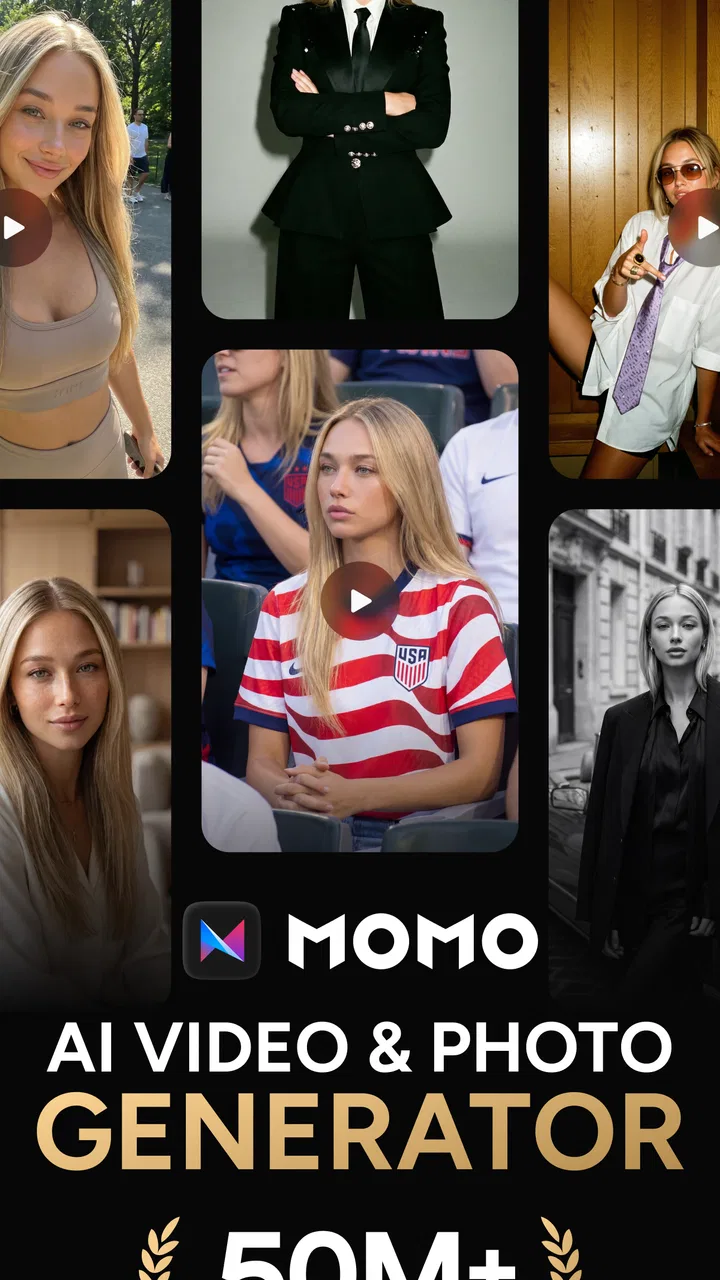
The central capability is portrait transformation. Momo can be used for business headshots, profile pictures, AI photos, a Polaroid-style treatment, and retaking photos that did not turn out well. Those options point to a particular kind of user: someone who already has a basic image but wants a more presentable version without arranging a new photo session.
I especially like the practical value of that approach. A profile picture often has to work in a small circular crop, while a business headshot needs a clear face and a calmer visual impression. A casual selfie may be fine for a private account but look too dark, too cluttered, or too informal on a work profile. Momo is useful because it treats the portrait as the starting point rather than asking you to build a design from scratch.
That does not mean every result should be accepted immediately. AI portrait tools can produce an image that looks attractive while quietly changing details that matter: the shape of a smile, the texture of skin, the line of a jaw, or the balance of facial features. My advice is to judge the result at normal viewing size, not only while zoomed out in a thumbnail. A profile image can look impressive at first and still feel unlike you when inspected more closely.
The Polaroid-style option is a different kind of use. It is less about professional presentation and more about giving a familiar photo a nostalgic frame and mood. I would not treat that as a replacement for a full creative editor, but it is convenient when I want a quick visual change without adjusting borders, tones, and framing manually.
Why the headshot focus matters
A general editor gives me control, but it also gives me work. I may need to crop the image, correct lighting, soften distractions, adjust color, and decide whether the final picture still looks natural. Momo’s appeal is that it compresses those decisions into a more guided portrait workflow.
That is valuable for people who do not enjoy editing. It is also useful when the deadline is close. If I suddenly need an image for a professional profile, a community page, or an online introduction, I would rather test a few portrait results than spend an evening learning sliders. The trade-off is control: a traditional editor lets me make a smaller, more exact change, while an AI generator may reinterpret the whole image.
The strongest use of Momo is fast presentation, not perfect photographic accuracy. That distinction helps set the right expectations before installing it. If I want to look more polished and consistent online, the app makes sense. If I need an official identity image where my appearance must remain completely faithful, I would choose a conventional camera and editor instead.
What using it feels like in practice
The sensible way to use Momo is to begin with a source portrait that already shows your face clearly. AI can improve the direction of an image, but it cannot reliably rescue every poor starting point. I would choose a picture with a reasonably visible face, avoid extreme angles, and compare more than one result before deciding which version represents me best.
This is one of the less obvious lessons with portrait generators: the input is part of the creative control. Two nearly identical selfies can lead to noticeably different impressions if one has a cleaner crop or a more readable expression. Rather than uploading a large collection at random, I would prepare a small group of candidate photos with different expressions and backgrounds. That makes the process more deliberate and reduces the temptation to accept the first attractive result.
For a business headshot, I would look for three things before anything else. First, does the face still resemble me? Second, does the expression fit the setting I plan to use? Third, does the background or overall treatment compete with the face? A dramatic image may be enjoyable, but a professional profile generally benefits from clarity more than novelty.
For a profile picture, the crop deserves special attention. Many services display portraits in small circles or squares, so details near the edges may disappear. I would check the image as a small thumbnail and not just as a full-screen portrait. If the eyes and face remain readable after shrinking, the result is more likely to work across different accounts.
The retake-photo idea is also practical, but I would interpret it carefully. It is helpful when the original image has an awkward expression or does not feel suitable for sharing. It is not the same as actually taking another photograph under controlled lighting. A generated retake can improve the impression of the moment, yet it may also introduce a polished look that feels less personal.
A realistic everyday workflow
Imagine that I am updating a work profile on a Sunday evening and discover that my current photo is several years old. I have a few casual portraits on my phone, but none were taken for professional use. I could open Momo, test the strongest candidates, and compare the generated headshots at the same small size used by the profile service. I would keep the version that looks clear and recognizably me, then avoid choosing one with an overly formal expression or artificial finish.
That workflow saves time because it focuses on the final situation rather than the app’s most impressive preview. It also exposes a common mistake: selecting the most glamorous result instead of the most believable one. For a work profile, a slightly restrained portrait may communicate more trust than a heavily transformed image.
For a social profile, I would use a different standard. Here, a more stylized result can be appropriate, especially if the account is personal or creative. The Polaroid treatment may work well when the goal is warmth and personality rather than corporate polish. The key is matching the style to the place where the picture will appear.
Where Momo differs from ordinary photo editors
A standard editor is usually better when I know exactly what needs changing. I can brighten a face, crop a shoulder, reduce a distracting color, or adjust contrast without asking the app to redesign the portrait. That precision is important for photographers and for anyone who wants the final image to remain visibly authentic.
Momo is more convenient when I do not know which adjustments are needed. Its value comes from suggesting a new presentation instead of making me perform every correction. That makes it closer to a quick portrait studio than a traditional editing workspace. The result can feel more finished with less effort, but the app’s interpretation becomes part of the picture.
It also differs from a full design app. A design tool may offer templates, text, layers, and detailed composition controls. Momo is more focused on the person in the image. I would use it to create the portrait first, then move to another tool if I needed a banner, résumé layout, business card, or social graphic around it.
Trade-offs that become important after the first result
The biggest limitation is the gap between “polished” and “true.” AI-generated portraits can be flattering, but flattering is not always the same as accurate. If the output changes your appearance enough that friends would hesitate before recognizing you, it may be a poor choice for a profile that depends on trust.
There is also a creative sameness to consider. A generated headshot may look cleaner than a casual selfie, yet it can lose the small imperfections that make a personal photo feel genuine. For a job-search profile, that may be acceptable if the image remains recognizable. For a personal account, I might prefer a lightly edited original because it says more about who I am.
Another trade-off is the free model. Momo is free to install and use as a photography app, while its in-app purchases range from $3.99 to $39.99 per item. That means I would explore the basic experience first and decide whether the particular style or workflow is worth paying for before committing to anything. The price range is broad enough that I would pay close attention to the purchase screen and the exact item selected.
I would also avoid judging the app solely by one successful output. AI image tools can be inconsistent, and a result that works beautifully for one face or source photo may be less convincing for another. The practical test is not whether Momo can make one attractive image; it is whether it can produce a believable image from the photos I actually have.
The current version is 2.8.7, so I would keep the app updated through the normal store process when possible. That is not a guarantee that every result will improve, but portrait-generation apps can change their workflows over time, and using an older build may leave me with a different experience from the one other users see.
Questions I would answer before relying on it
Can Momo replace a professional photographer? For a quick online headshot, sometimes it can reduce the need for one. It cannot reproduce the full benefit of a photographer who controls lighting, pose, clothing, expression, and context. If the image will represent a business publicly or be used for an important formal purpose, I would still prefer a real session or a carefully taken portrait.
Is it suitable for someone who dislikes artificial-looking images? It can be, but only with careful selection. I would compare the output with the original and reject any version that changes recognizable features too much. The app is not something I would use on autopilot if natural appearance is the priority.
Does it make sense for an occasional user? Yes, particularly if the immediate need is a profile update or a better headshot. The free entry point makes experimentation easy, although the in-app purchase range means occasional users should avoid buying a style simply because the preview looks exciting.
Would I use it for every photo? No. Momo is strongest when the subject is a person and the desired result is a portrait with a clear purpose. For landscapes, product photography, detailed retouching, or multi-layer compositions, a conventional photography or design app would be a better fit.
Who gets the most value from this portrait generator
Momo suits people who need a usable image quickly: students preparing an online profile, freelancers refreshing a professional page, job seekers who lack a recent headshot, and social users who want several visual styles from an existing portrait. It is particularly helpful for anyone who feels uncomfortable posing for a camera but has a few usable photos already stored on a phone.
I also think it benefits people who understand that different platforms need different images. A professional account may call for a restrained headshot, while a personal profile can handle a Polaroid-inspired treatment. Instead of forcing one picture everywhere, I can create a small set of portraits with different moods and choose based on context.
On the other hand, I would skip it if I need exact retouching control, a guaranteed likeness, or a complete photo-production workflow. Photographers, designers, and users preparing official documents may become frustrated by the lack of precision that comes with an automated transformation. Someone who only wants a simple brightness or crop adjustment will probably find a normal editor faster.
My final view is positive but specific. Momo is not a universal replacement for a camera, a photographer, or a full editing suite. It is a convenient way to turn an ordinary portrait into a more intentional profile image, and that narrow purpose is where it performs best. I would install it when I needed a presentable headshot without much setup, compare the results carefully, and keep the version that looks like me on a particularly good day rather than a completely different person.
With its Everyone rating, free starting point, and broad adoption, it is easy to try without treating the decision as a major commitment. Just remember that the most attractive result is not automatically the most useful one. Choose Momo when speed and presentation matter more than manual control, and choose a traditional photo workflow when authenticity and precision must come first.
FAQs for Momo: AI Photo & Video Maker
01What is Momo - AI Photo Generator and how does it work?
Momo - AI Photo Generator is an innovative app that uses artificial intelligence to transform your photos into artistic creations. By leveraging advanced AI algorithms, the app analyzes your images, applies various artistic styles, and enhances them to create unique visual content. Users simply upload their photos, select a style, and watch the transformation happen in seconds.
02Is Momo - AI Photo Generator free to use?
Momo offers a freemium model, allowing users to access basic features at no cost. However, premium features such as additional styles, higher resolution outputs, and ad-free experiences may require a subscription or one-time purchase. It's important to check the app's pricing details within the app store for the most current information.
03Can Momo - AI Photo Generator be used offline?
Momo primarily requires an internet connection to process images, as the AI algorithms operate on cloud servers. This ensures faster processing and access to a wider range of features. While some offline features may be available, a stable internet connection is recommended for optimal performance and access to the full array of artistic styles.
04What image formats are supported by Momo - AI Photo Generator?
Momo supports a variety of common image formats including JPEG, PNG, and BMP. Users can easily upload photos from their device's gallery or capture new images directly within the app. It's always a good idea to ensure your images are compatible with these formats for seamless uploading and processing.
05How does Momo - AI Photo Generator ensure user privacy and data security?
Momo takes user privacy seriously by employing robust data protection measures. Images are processed over secure servers, and any data collected is used solely to enhance user experience. The app adheres to strict privacy policies, ensuring that your photos and personal information are not shared with third parties without consent. Always review the privacy policy available in the app for detailed information.
Pros
- Intuitive interface for easy use.
- High-quality AI-generated images.
- Variety of styles to choose from.
- Quick image processing time.
- No account needed for basic features.
Cons
- Limited free features available.
- Occasional glitches in complex images.
- Subscription required for premium styles.
- Lacks advanced editing tools.
- May require internet connection.

Momo: AI Photo & Video Maker
Gallery